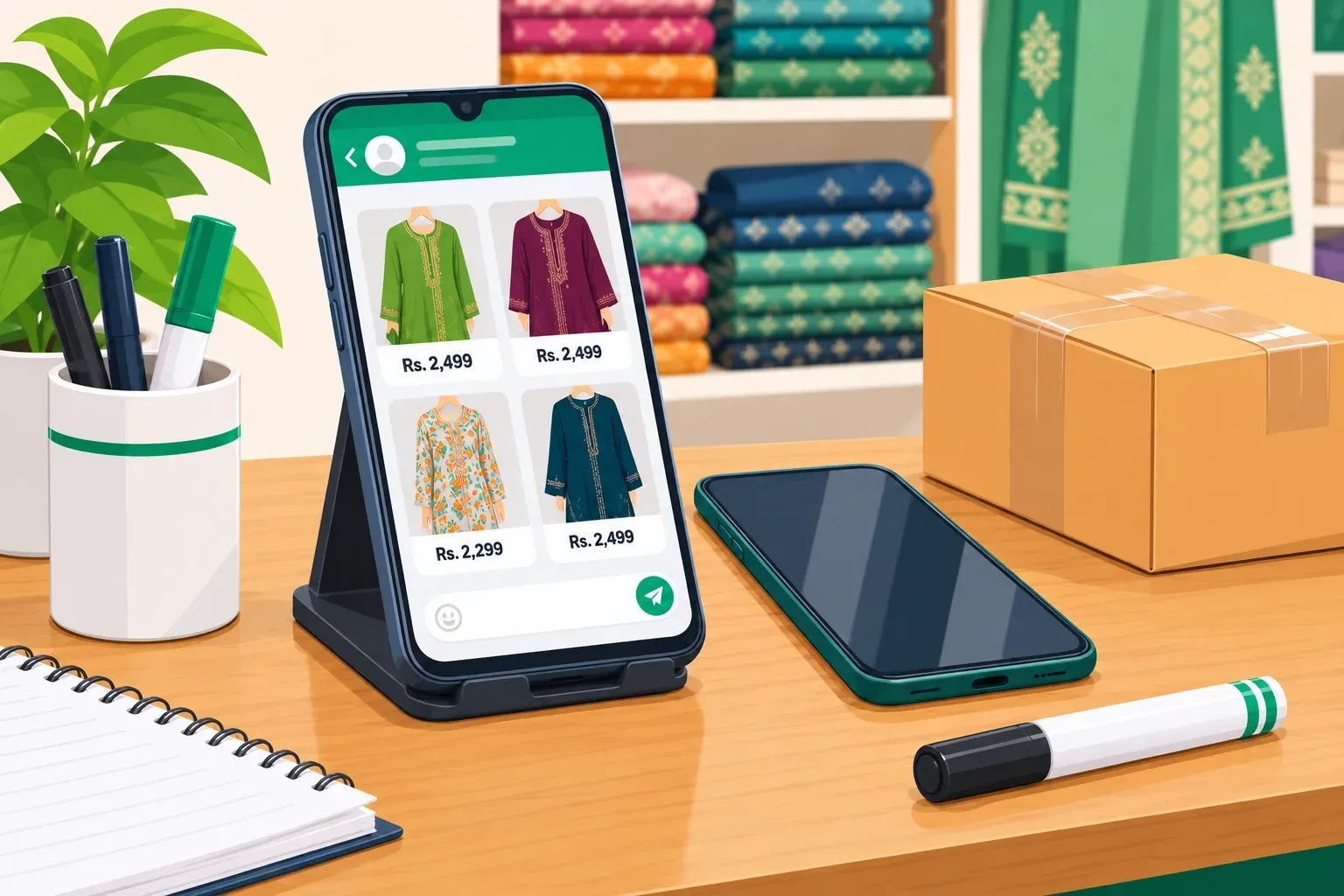
WhatsApp Business for shops in Pakistan works when you set up four things properly: a complete business profile, a catalogue with prices and delivery in every item, auto-replies and quick replies that answer the ten questions you get every day, and broadcast lists built only from customers who have agreed to hear from you. Done that way, it runs a small shop on its own; done badly, it is just a busier inbox.
Why is WhatsApp Business the right first tool for a Pakistani shop?
Because your customers are already on WhatsApp, the app is free, and it turns a personal chat into something that looks and behaves like a shop. The free WhatsApp Business app gives you a business profile, a way to showcase products, and tools to respond when you are away, all on the phone you already use.
For a shop in Faisalabad or Hyderabad doing its first online orders, that is the whole setup. The audience is there too: according to the Digital 2026: Pakistan report from DataReportal, Pakistan had 117 million internet users at the end of 2025, and for most of them WhatsApp is the app they open first. Our guide on starting an online store in Pakistan with zero investment puts WhatsApp Business at the centre for exactly this reason.
The catch is that most shops install it and then use it like personal WhatsApp, typing the same price forty times a day while the features that would save them sit unused.
How do you set up a WhatsApp Business profile that builds trust?
Fill in every field, because the profile is the first thing a new customer checks before deciding whether to trust you with Rs 2,500 on COD. Here is the order.
- Use a separate number for the business if you can. A SIM costs little, it keeps shop and personal chats apart, and it means a helper can run the shop phone later. Keep the personal number on normal WhatsApp.
- Business name exactly as it appears on your Facebook and Instagram. Consistency is how customers find you by name.
- Profile photo: your logo if you have one, a clean product photo if you do not. Not a selfie, not a quote graphic.
- Category, description, address and hours. A one-line description that says what you sell and where you deliver: “Unstitched lawn and ready-to-wear. Delivery across Pakistan, COD available.”
- Links: your Instagram, Facebook and website if you have one. These are the proof you are a real business.
- Payment and delivery line in the description or in a pinned message: COD, JazzCash, Easypaisa, bank; delivery charge; delivery days.
How do you build a WhatsApp catalogue that actually sells?
Put the price, the delivery rule and the variants in every catalogue item, so the catalogue answers the question instead of starting a conversation. A catalogue without prices is a photo album.
For each item: one clear photo shot the way our guide on product photos with just your phone describes, the product name with its code, the price as a number, available sizes or colours, and a two-line description that includes delivery. “Rs 2,450. S, M, L. Delivery Rs 200, 3 to 5 days. COD, JazzCash, Easypaisa.” Our guide on product descriptions in Urdu and English that sell covers the wording.
Three habits keep it working: update it the same day a price or stock changes, keep it to your current range, and send catalogue items as links in chats instead of typing details, so the item card does the answering.
Which auto-replies and quick replies should every shop set up?
A greeting message, an away message, and a set of quick replies for the ten questions you answer most. Together they answer most first messages before you have looked at your phone.
Greeting message
Sent automatically when a new customer messages or after fourteen days of silence. Keep it short and useful: your name, what you sell, where the catalogue is, and how to order. Something like: “Salaam! Welcome to [Shop]. Catalogue dekhne ke liye profile pe tap karein. Order ke liye product ka naam, size aur address bhej dein. Delivery Rs 200, 3 se 5 din, COD available.”
Away message
Sent outside your set hours. State when you will reply and that orders sent now will be confirmed in the morning. A customer at 11:47 pm who gets an honest “subah 10 baje confirm karenge” usually waits; one who gets silence buys elsewhere.
Quick replies
Saved messages you send with a slash and a keyword. Set up at least these: price and delivery for your bestsellers, payment details with your JazzCash, Easypaisa and bank account, the order confirmation template, delivery time by region, return policy, “out of stock, back on” with a date, and the COD confirmation request. Our guide on how to reply to price comments has templates you can save directly.
Labels round this out: tag every chat as new, confirmed, dispatched, delivered, returned or follow-up, and the inbox becomes an order board.
How do you use broadcast lists without getting blocked?
Only message people who have agreed to hear from you, keep it to a few messages a season, and give them a clear way to stop. The WhatsApp Business Messaging Policy requires that you have “received opt-in permission from the recipient” before sending messages and that you respect every request to stop. Shops that ignore this get numbers reported and blocked, and the business number goes with it.
Two practical facts about broadcast lists. First, a broadcast only reaches people who have saved your number in their contacts, so ask customers to save it at the point of order and tell them why. Second, a broadcast arrives as an individual message, which is why it works; it is not a group, and customers cannot see each other.
Build the list from real consent: at order confirmation, ask “new stock aur offers ke updates chahiye? Reply YES.” Keep a note of who said yes. Then message with purpose: new collection, shaadi season reminder, a Blessed Friday early-access offer, a restock they asked about. Two or three times a month at most. Every message should be something a customer would be glad they got.
Do not add people from a Daraz order, a Facebook comment or a number someone forwarded. Our guide on how to move your Daraz or Instagram customers to your own store covers the consent rules and the Daraz restriction in detail.
How should orders flow through WhatsApp Business?
The same way every time: catalogue link, order details, confirmation, payment or COD, dispatch message, delivery follow-up. A fixed routine is what lets you handle fifty orders without losing one.
- The customer asks about a product; you send the catalogue item, not a typed description.
- They send product, size, address and phone number; you send the confirmation quick reply repeating all of it with price, delivery and expected days, and ask for a “yes”.
- For prepaid, they send the payment screenshot with the order number; you verify it in your own wallet app by transaction ID. For COD, the confirmed “yes” is the gate.
- You label the chat confirmed, reserve the stock, and pack.
- At dispatch, you send the courier name and tracking number with the dispatch quick reply, and move the label to dispatched.
- Two days after delivery, a one-line follow-up asking if everything was fine. This is where repeat customers and consent for broadcasts come from.
Our guide on cash on delivery in Pakistan covers why step two, the confirmation, is the single habit that most reduces returns.
What mistakes do shops make on WhatsApp Business?
Using it like personal WhatsApp: no catalogue, no quick replies, every price typed by hand.
A catalogue without prices. It generates the very question it was supposed to answer.
Broadcasting to everyone who ever messaged. Numbers get reported, and WhatsApp restricts the account.
Creating groups instead of broadcast lists. Customers see each other, get annoyed, and leave.
Never confirming orders. The COD parcel ships on a single “ok” and comes back a week later.
Mixing shop money into the personal wallet. Payments become impossible to reconcile.
When is WhatsApp Business NOT enough?
It runs a small shop well up to roughly twenty to fifty orders a week, with one person managing it. Past that, the limits show. Orders get lost in the scroll. The catalogue falls behind stock. Two people cannot work the same number easily. There is no customer list you can export, and no record of orders that survives a lost phone. You cannot run ads to a product with a buy button, and a customer in Multan searching Google for your product will never find a WhatsApp chat.
At that point WhatsApp does not go away; it becomes the confirmation and support channel while a website takes the orders. Our guide on whether you need a website if you already sell on WhatsApp and Instagram covers the signs.
That handover, WhatsApp for conversation and a store for orders, is the setup we are building Dukaandar for: a Pakistan-made store platform designed around how shops here already sell. It is still in development.
Frequently Asked Questions
Is WhatsApp Business free for shops in Pakistan?
Yes. The WhatsApp Business app is free to download and use, and gives you a business profile, a product catalogue, greeting and away messages, quick replies, labels and broadcast lists on your existing phone. Paid options exist for larger businesses through the WhatsApp Business Platform, but a small shop does not need them.
Can I use WhatsApp Business and personal WhatsApp on the same phone?
Yes, with two different numbers. Most phones allow both apps side by side, one on each SIM or number. Use a separate business number if you can; it keeps shop chats apart, protects the personal number, and lets a helper run the shop phone later without access to your personal messages.
How do I set up a WhatsApp Business catalogue?
In the app, open Business Tools, then Catalogue, and add each product with one clear photo, the name and code, the price as a number, sizes or colours, and a short description that includes the delivery charge and days. Keep it to current stock, update it the same day a price changes, and send catalogue items as links in chats instead of typing details.
How many people can I add to a WhatsApp broadcast list?
WhatsApp limits each broadcast list to a set number of recipients, currently a few hundred, and you can create several lists. The limit that matters more is consent: a broadcast reaches only people who have saved your number, and WhatsApp’s policy requires opt-in before you message anyone, so a smaller list of customers who said yes outperforms a large list of strangers.
What is the difference between a broadcast list and a group on WhatsApp?
A broadcast sends one message to many people as separate individual chats; recipients do not see each other and reply privately to you. A group puts everyone in one shared chat where every member sees every message. For a shop, broadcasts are right for updates and offers; groups annoy customers and leak your customer list to competitors.
Can I take payments inside WhatsApp Business in Pakistan?
Not natively for most shops. In practice, you share your JazzCash, Easypaisa or bank account details in a quick reply, the customer pays and sends the screenshot with their order number, and you verify the transaction in your own wallet or bank app. Cash on delivery is confirmed in the chat and collected by the courier.
When should a shop move from WhatsApp Business to a website?
When orders get lost in the scroll, when the catalogue cannot keep up with stock, when more than one person needs to handle orders, when you want to run ads to a product page, or when you want a customer list and order history that survive a lost phone. Usually somewhere between twenty and fifty orders a week. WhatsApp then stays as the confirmation and support channel.
Conclusion
WhatsApp Business done properly is a profile that earns trust, a catalogue that answers the price question, auto-replies and quick replies that handle the daily ten, broadcast lists built on consent, and one fixed order routine from catalogue link to delivery follow-up. That setup runs a small Pakistani shop on a single phone until the day it needs a store behind it. If you want that store built for how shops here already sell, join the Dukaandar waitlist and we will tell you first when it is ready.