Oak Harbour
Furniture made to live with.
A simple, airy storefront for furniture and home shops. A banner slider, products sorted by room and a blog for buying advice keep it practical. Edit everything from your Dukaandar dashboard.
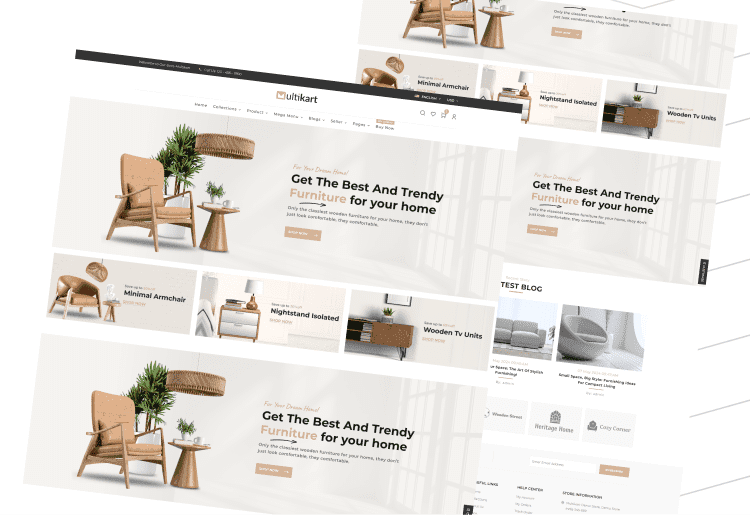
Take a look
Every page, already designed
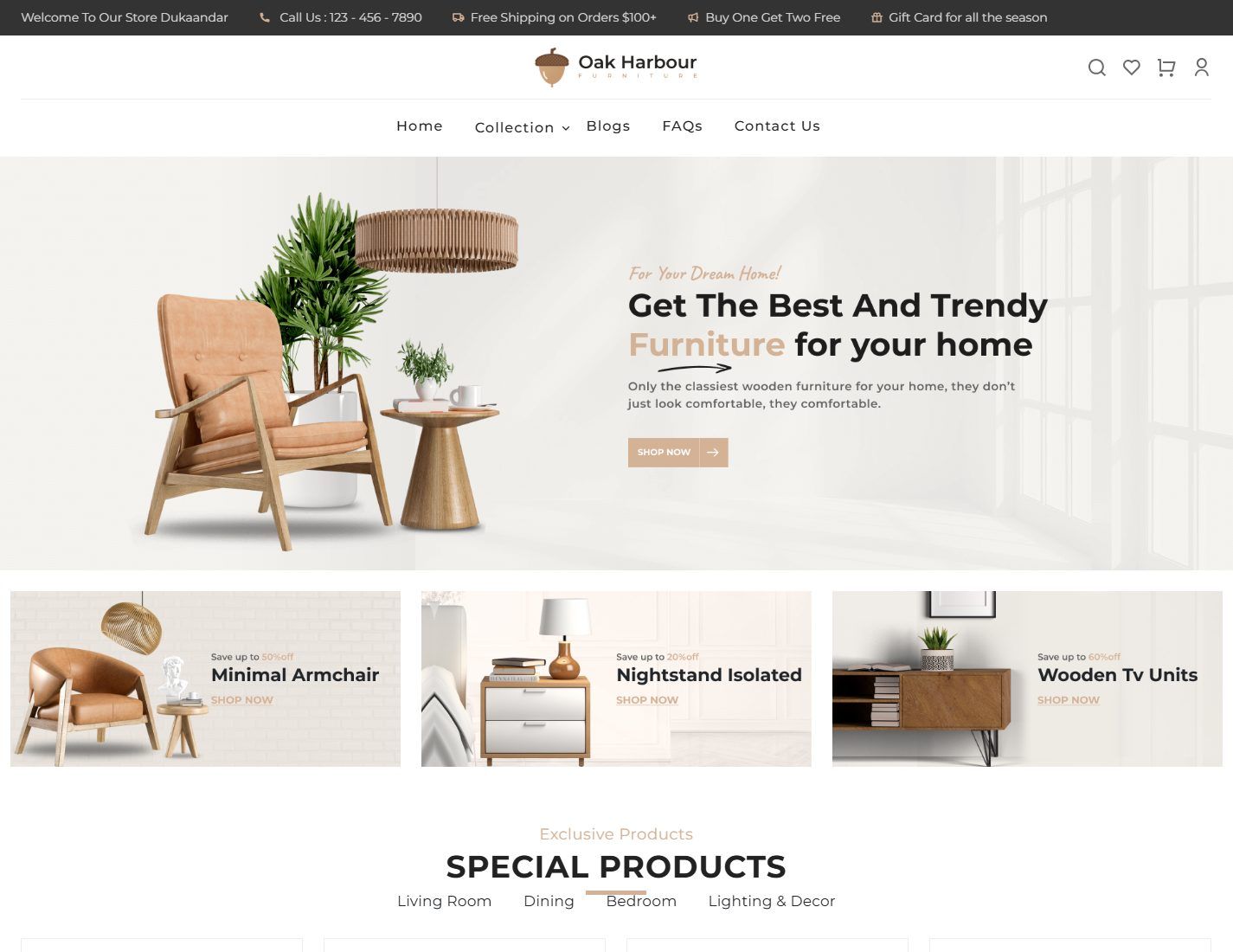
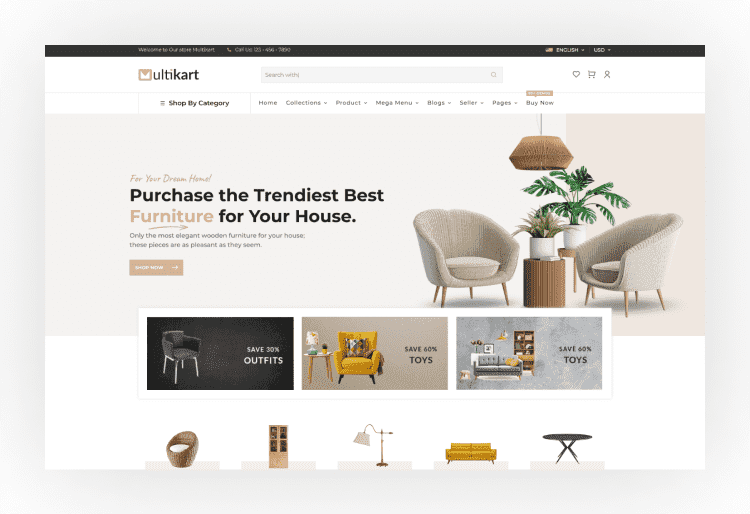
Homepage: a banner slider, collection tiles, special products in tabs by room and the latest blog posts.
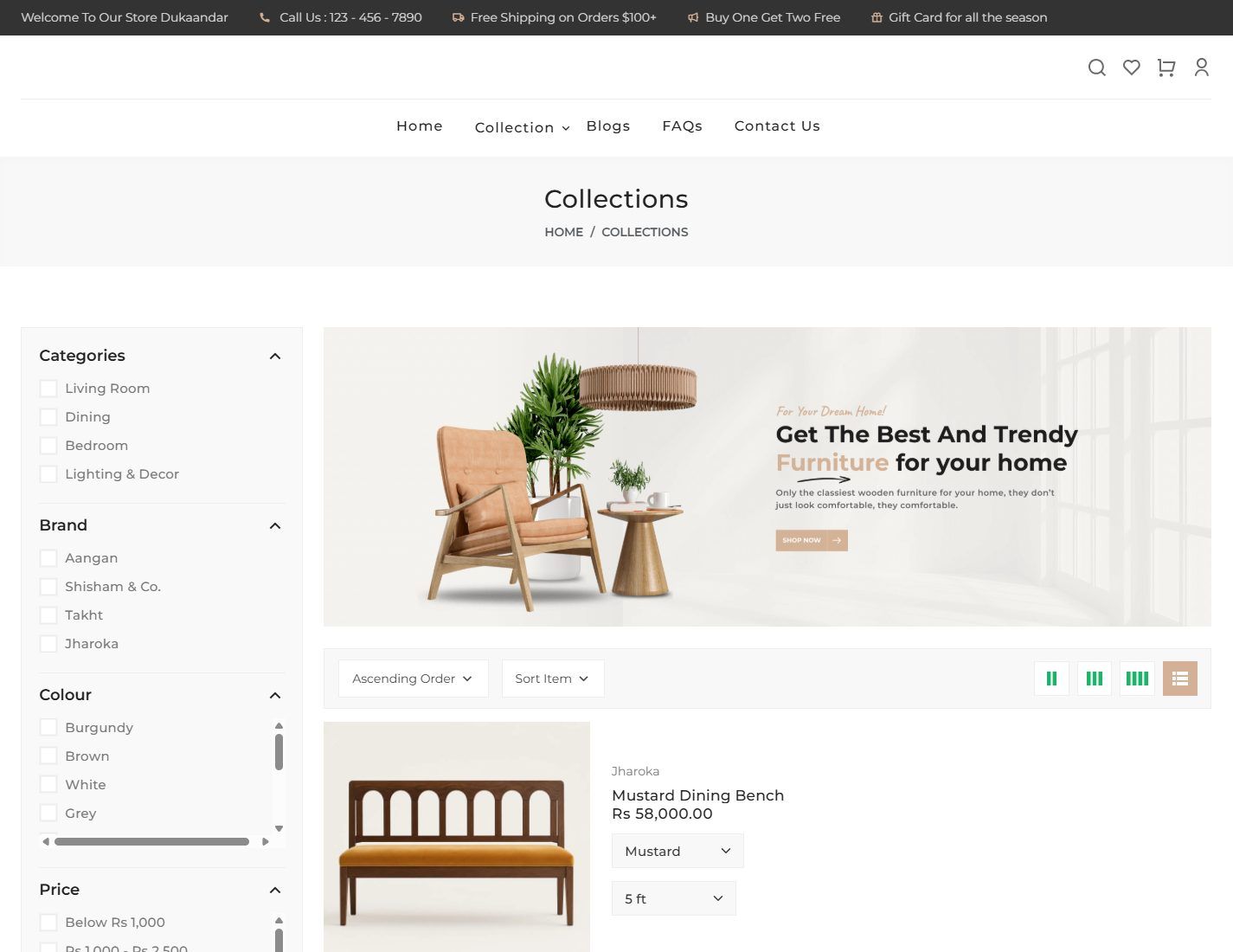
Collection page: browse by category, filter and sort products, and switch between grid and list layouts.
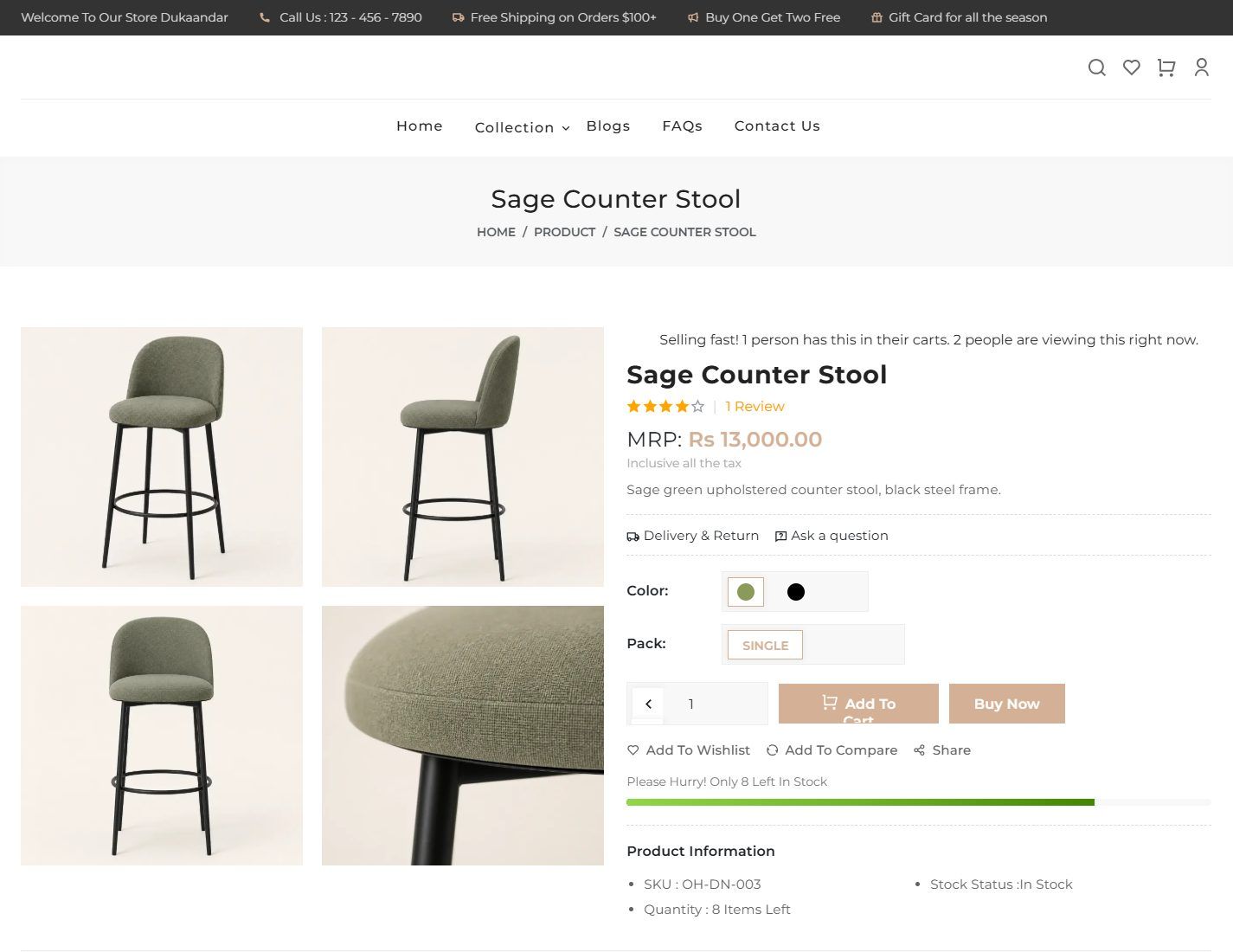
Product page: an image gallery, product options, Add to Cart and Buy Now, plus wishlist, compare and share.
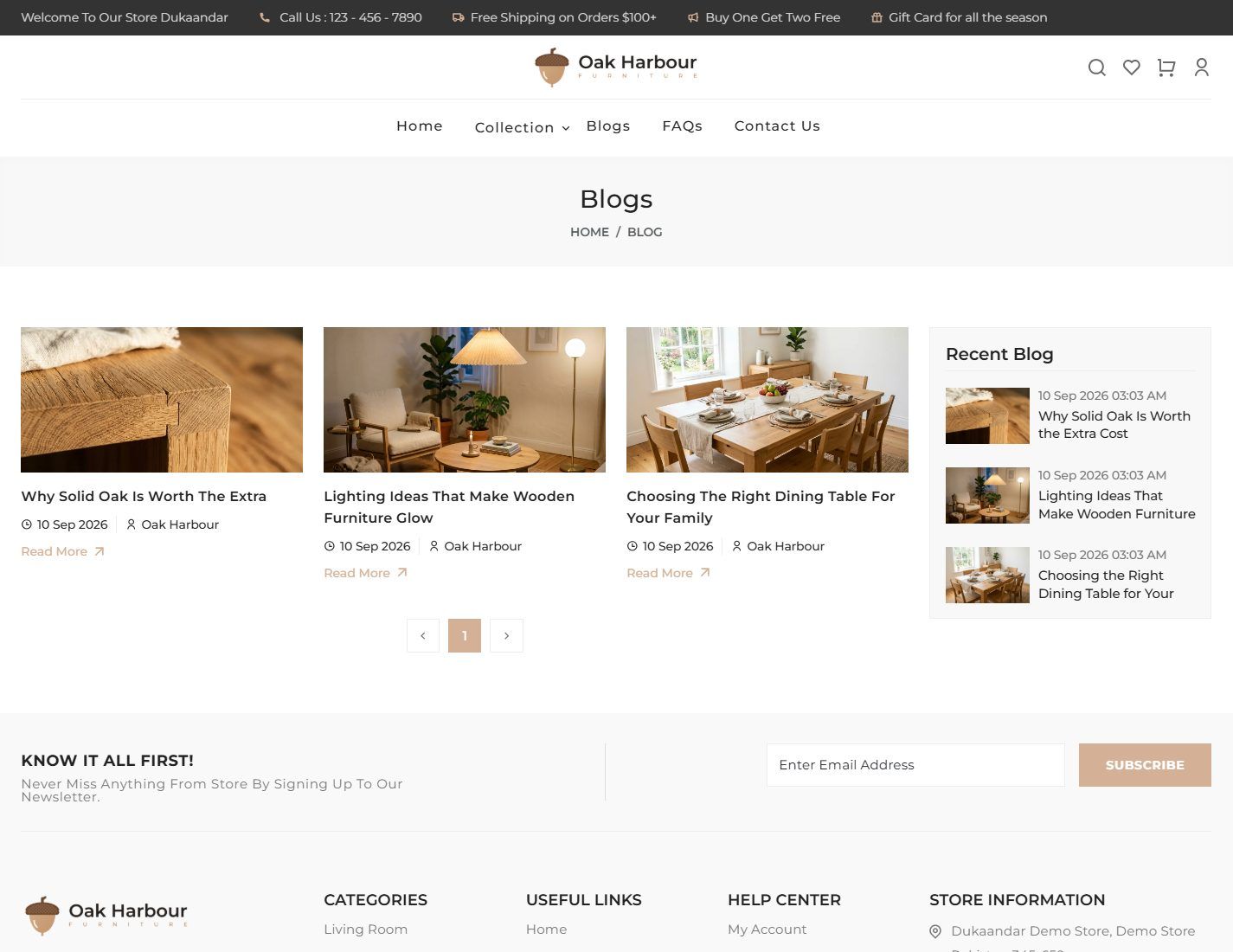
Blog: your latest posts with a recent-posts sidebar, so customers can read your stories and tips.
Homepage
Built from 4 sections
Each section has its own settings and an on/off switch in Theme Details. Swap the images, titles and links, and the page updates.
- 01Home BannerA banner slider for your main pieces.
- 02Collection BannerImage tiles that link to your key collections.
- 03Category ProductsSpecial products in tabs by room, like Living Room, Dining and Bedroom.
- 04Featured BlogsYour latest blog posts, like buying guides and care tips.
Theme options
Make it yours. No developer needed.
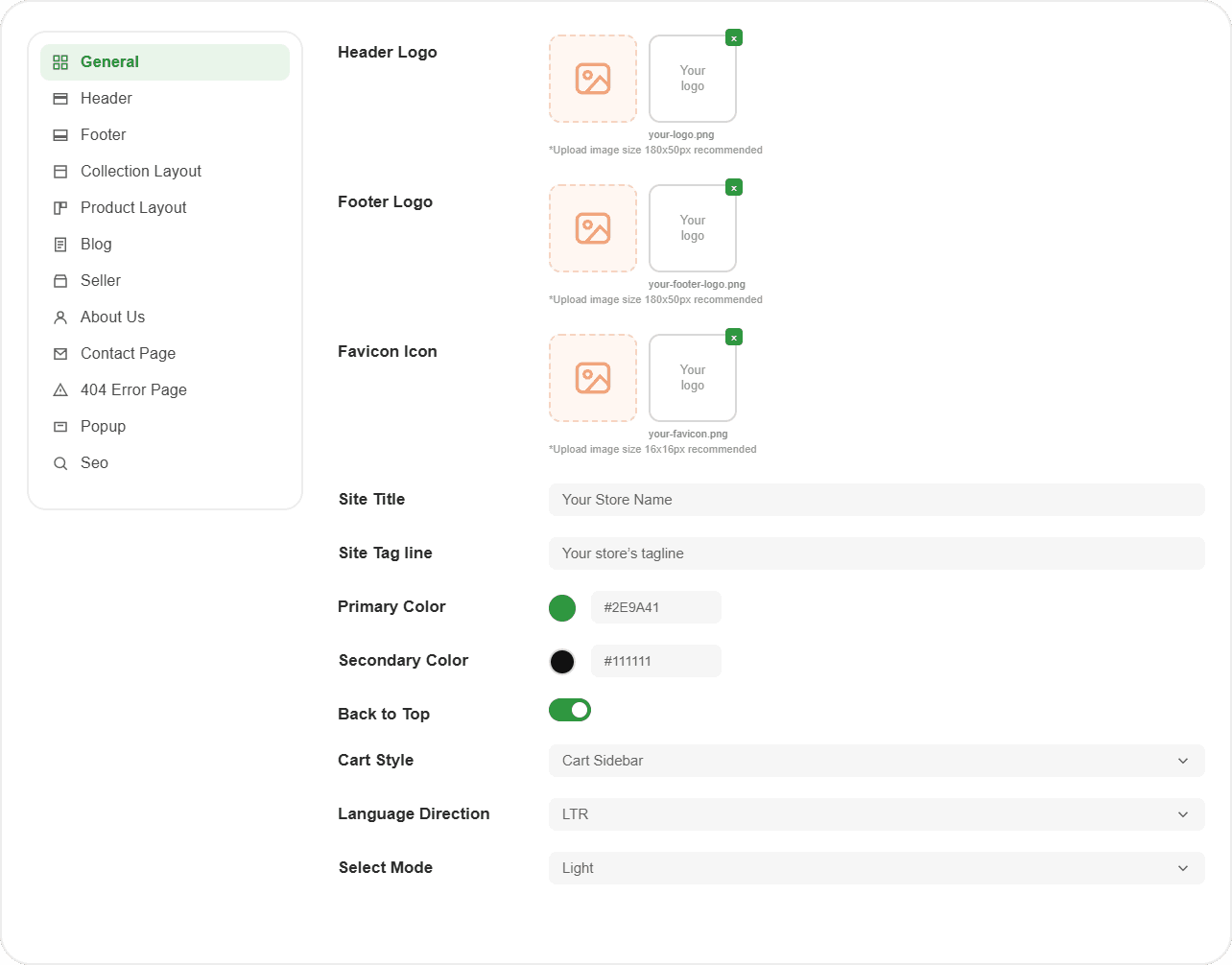
Everything below is a setting in your dashboard under Store Front. Pick, type, upload, save.
Brand and colours
- Header logo, footer logo and favicon
- Store name and tagline
- Primary and secondary colour
- Light or dark mode
Header
- Choice of header styles
- Sticky header that stays on scroll
- Top bar with up to 3 announcements
- Support number and category menu
Footer
- Footer style and background colour
- About text, address and email
- Category, link and help page menus
- Payment icons, social links and copyright
Product page
- Image thumbnail layouts and product box styles
- Sticky Add to Cart bar
- Trending products in the sidebar
- Safe and secure checkout badges
- Shipping and returns section
- Share to social media
Collection page
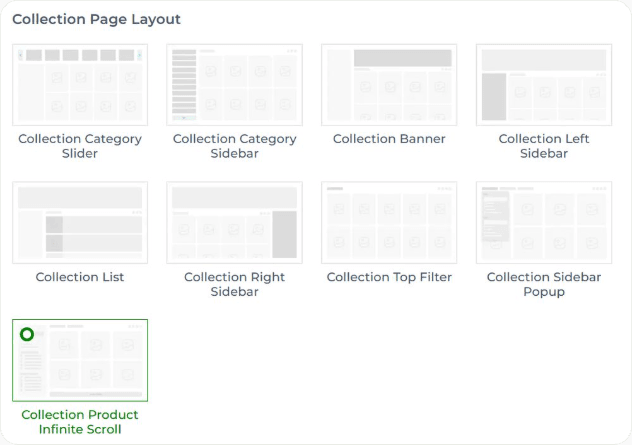
- 9 layouts, from sidebar filters to infinite scroll
- Filters for category, brand, colour, price and rating
- Banner image on top
Blog
- Grid or list view
- Left, right or no sidebar
- Show author name and Read more link
Popups
- Newsletter signup popup
- Exit popup
- Login and register popup
Store extras
- Cart opens as a side panel
- Wishlist and compare
- Back to top button
- A message in the tab title when shoppers switch tabs
SEO and sharing
- Meta title, description and tags
- Title, text and image for social shares
Layouts
Pick a layout. Change it any time.
Choose how customers browse your products. Click a layout, hit save, and your store switches over.
Collection page
Blog
Product page
Pages that come with it
Ready on day one. Fill in your details and they go live.
Runs on Dukaandar
One dashboard for the store and the shop
Oak Harbour is the front of your store. Behind it, the same dashboard runs your products, orders and in-shop sales.
- Products: categories, brands, attributes, tags and product Q&A.
- Orders: every order from pending to delivered, in one list.
- POS: ring up sales in your shop from the same stock.
- Media library: all your product photos and banners in one place.
- Blog, reviews and FAQs: managed here, shown on your store.
- Customers and subscribers: your list stays with you.
Questions about Oak Harbour
Who is this theme for?
Furniture and home shops that sort products by room and share buying advice on a blog.
Can I add product options like size, colour or weight?
Yes. Add options like size, colour, weight or pack size to each product. Shoppers pick one on the product page before they add it to the cart.
What’s on the homepage, and can I change it?
The homepage is built from sections, like banners, product rows, a blog and Instagram. Each one has its own settings and an on/off switch in Theme Details, so you can change the images and text, or hide any section you don’t need.
Can I change the colours and logo to match my brand?
Yes. In Theme Options, set your primary and secondary colours and upload your own logo, footer logo and favicon. The theme updates across every page.
More furniture themes
Browse all themes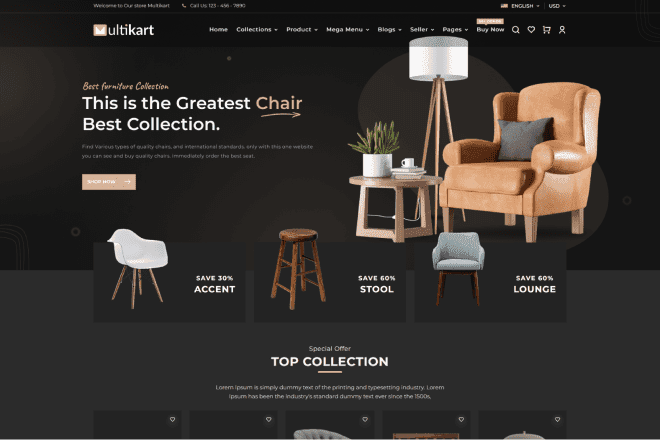
Your store, in Oak Harbour.
Pick the theme, add your products, start selling.